

A simple warehouse management system (WMS) isn’t about cutting corners, it’s about choosing software that does the essentials brilliantly without forcing you to navigate a labyrinth of settings you’ll never use. Whether you’re running a small distribution centre, managing a 3PL operation, or handling inventory across multiple locations, the right WMS should fit your business today and scale with you tomorrow.
The problem most operations face isn’t a lack of WMS options. It’s that many solutions are built for enterprise-scale complexity. They demand months of implementation, deep technical expertise, and licensing costs that make the business case hard to justify when you’ve got a relatively small team. That’s where a simple warehouse management system changes the equation.
In this guide, we’ll explore what makes a WMS genuinely simple, which core features small operations absolutely need, and when it’s time to step up from spreadsheets. We’ll also walk through how a purpose-built solution like Clarus keeps things straightforward while giving you room to grow.
What Makes a Warehouse Management System Simple?
Simplicity in warehouse software isn’t about having fewer features. It’s about architecture and design that let you use the features that matter without wading through the ones you don’t.
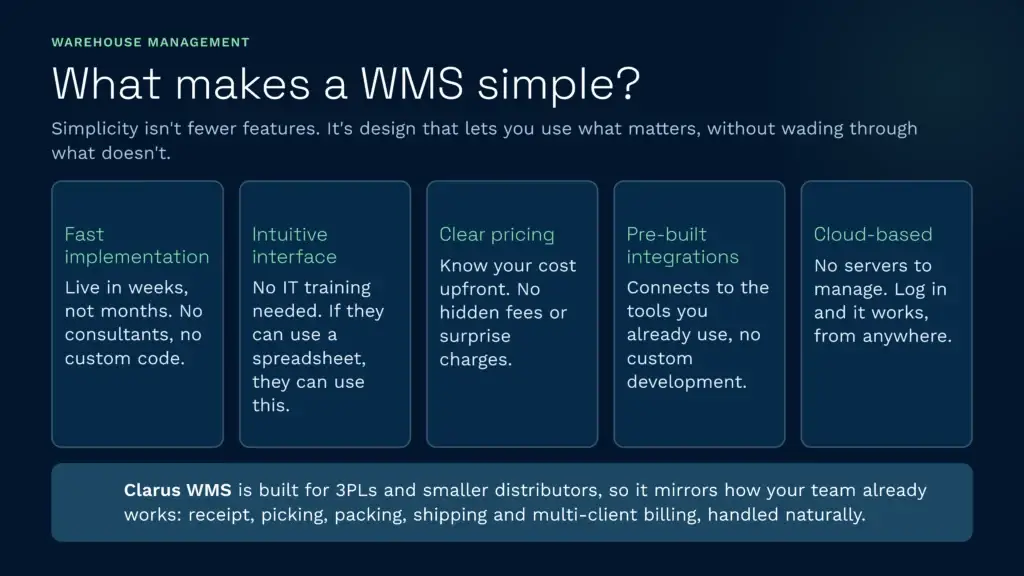
A genuinely simple WMS has these hallmarks:
- Fast implementation: You’re up and running in weeks, not months. The setup process doesn’t require a team of consultants or custom code.
- Intuitive interface: Your warehouse staff doesn’t need IT training to use it. If they’ve used a spreadsheet or a basic app, they can pick it up quickly.
- Clear pricing: You know what you’re paying upfront. No surprise licensing fees, per-user charges that escalate, or hidden integration costs.
- Pre-built integrations: The system connects easily to the tools you already use, your accounting software, e-commerce platform, or shipping provider, without custom development.
- Cloud-based: No servers to maintain, no software to install. You log in, and it works. Updates happen automatically, and you always have access from anywhere.
A simple warehouse management system also works *with* your existing processes rather than forcing you to rebuild them from the ground up. For example, Clarus WMS is purpose-built for 3PLs and smaller distributors, which means the workflow mirrors how your team already operates, stock receipt, picking, packing, shipping, and multi-client billing all handled naturally by the system.
Core Features Small Operations Actually Need
Not every warehouse needs every feature. Knowing which essentials to prioritise helps you avoid paying for bloat and keeps your system lean.
Real-time inventory tracking
This is non-negotiable. You need to know exactly what you have, where it is, and when it’s running low. Without accurate, live inventory data, you’ll struggle with pick accuracy, overselling, and customer complaints.
A simple system makes this straightforward: barcode scanning at receipt, automated stock level updates as items move through your warehouse, and instant visibility to anyone who needs it. You stop relying on end-of-day counts or manual spreadsheet updates.
Pick and pack workflows
Order picking and packing is where most warehouses lose time and money. A good WMS optimises picking routes (so staff aren’t wandering aimlessly), batches orders intelligently, and flags discrepancies before items ship.
For small teams, this means fewer errors, faster shipping, and happier customers. You’ll spend less time on damage claims and rework.
Multi-location or multi-client capability
Even if you’re starting with one warehouse, the ability to manage multiple locations or client inventories without separate systems is invaluable. If you’re a 3PL, this is absolutely essential, you need to keep client stock completely separate, manage their unique SKUs, and bill accurately.
Reporting and insights
You don’t need dashboards with 50 different metrics. You do need to answer basic questions: What’s my inventory accuracy? How many orders have I shipped today? Where are my slow-moving items? What’s my cost per shipment?
A simple system gives you these insights without requiring SQL knowledge or report-building expertise.
Integration with your existing tools
Your WMS isn’t an island. It needs to talk to your e-commerce platform, accounting system, shipping provider, and potentially other tools. A cloud-based WMS with strong API support makes this seamless. You’re not manually exporting CSVs or typing orders in twice.
Simple vs. Enterprise Warehouse Management System: The Key Differences
It’s worth understanding how a simple WMS differs from enterprise-grade solutions, especially if you’re considering scaling.
| Feature | Simple WMS | Enterprise WMS |
| Implementation time | 2-8 weeks | 3-12 months or longer |
| Typical cost to start | £500-£3,000/month | £10,000+/month plus setup costs |
| Customisation required | Minimal; works out of the box | Often extensive; typically needs consultants |
| Suitable for | Small to mid-sized operations, fast growth | Large corporations, complex supply chains |
| Learning curve | Days to weeks for staff | Weeks to months; training-intensive |
| Scalability | Grows with you; simple upgrades | Built for scale but needs upfront investment |
The real question isn’t which is “better.” It’s which fits your current reality. If you’re managing 50 SKUs and 100 orders a day, an enterprise system is overkill. If you’re processing 10,000 orders daily across 15 warehouses, you might need the power enterprise software offers.
What’s often overlooked is that simple systems can grow with you. A purpose-built solution for smaller operations can handle significantly more volume without losing the simplicity that made it work in the first place. For 3PLs and distributors, a UK-based WMS designed specifically for your sector often outperforms generic enterprise software on speed and ease of use, even as you scale.
Cost Considerations: Finding the Right Price Point
Price is often the first thing people ask about when evaluating a simple WMS. The temptation is to pick the cheapest option, but the cheapest rarely stays that way.
What drives WMS cost?
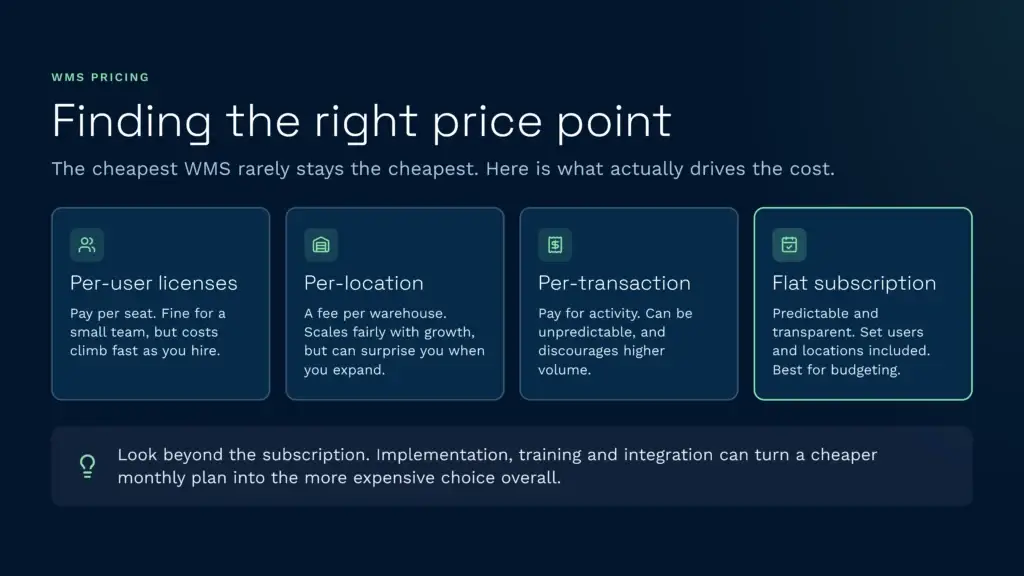
Most systems charge based on one or more of these factors:
- Per-user licenses: You pay for each person with access. Fine if you have a small team, but costs escalate quickly as you hire.
- Per-location: A fee per warehouse. Scales with your growth, which is fair, but can surprise you if you’re planning to expand.
- Per-transaction or per-order: You pay for activity. This can be unpredictable and incentivises keeping volume low.
- Flat monthly subscription: Predictable, transparent. Often includes a set number of users and locations. Best for budgeting.
Beyond the software cost, factor in implementation, training, and integration work. A system that seems cheaper per month might require expensive consulting to set up properly. A more straightforward system might cost slightly more per month but saves thousands in setup and training.
Hidden costs to watch for
Integration costs can surprise you. Some systems charge per integration or per API call. Others include reasonable API access as standard. Ask clearly before committing.
Support costs matter too. What’s included? Is it just email during business hours, or do you get phone support and proactive issue resolution? For a small team, responsive support is worth paying for.
When comparing options, look at total cost of ownership, not just the headline monthly fee. A system at £800/month that takes three months to implement and needs six months of paid consulting is more expensive than one at £1,200/month that’s live in four weeks.
When to Upgrade from Spreadsheets to a WMS
Plenty of small operations run on spreadsheets. There’s nothing wrong with that—until there is.
These are the clearest signals you’re ready for a WMS:
- Inventory accuracy is becoming a problem: You’re regularly discovering stock doesn’t match the count. Manual spreadsheets are error-prone, especially as volume grows.
- Order fulfilment is slowing down: Your team is spending more time hunting for stock, verifying orders, and managing picks manually. A WMS cuts this dramatically.
- You’ve got multiple locations or clients: Managing inventory across multiple warehouses or keeping client stock separate in spreadsheets is a nightmare. This is where a WMS pays for itself immediately.
- Your packing errors are increasing: More orders mean more mistakes. A barcode-based system eliminates most pick and pack errors.
- You’re losing visibility: You can’t answer basic questions about inventory without digging through multiple spreadsheets or asking the team.
- Your growth is hitting a ceiling: You’ve maxed out what your current team can manage manually. The next level of growth requires better tools.
According to research from the Materials Handling Industry Association (MHIA), warehouses that move from manual processes to a simple WMS see improvements of 15-30% in labour productivity within the first three months. Inventory accuracy typically jumps from 85-90% to 99%+.
If any of these scenarios sound familiar, you’re not just buying software, you’re buying back time and reducing errors. That’s a business case on its own.
Ease of Setup: Getting Live Quickly
One of the biggest advantages of a simple WMS is how fast you can get from “I’ve signed up” to “we’re live.” This matters because every day you’re not using the system is money left on the table.
A typical implementation timeline
A straightforward system designed for smaller operations might look like this:
- Week 1: Account setup, initial configuration, importing your SKU list and customer data.
- Week 2-3: Staff training, testing with a pilot batch of orders, fine-tuning workflows.
- Week 4+: Go live. Begin processing all orders through the system.
More complex implementations, especially those requiring deep customisation or intricate integrations, can stretch to months. But for a simple WMS built for smaller teams, two to four weeks is standard.
What makes implementation fast?
Systems that go live quickly share these traits:
- Cloud-based: Nothing to install. No hardware procurement or server setup delays.
- Pre-built workflows: The system comes with sensible defaults. You’re not designing processes from scratch; you’re configuring them.
- Data import tools: Bulk import features let you load your existing inventory and customer lists without manual entry.
- Clear onboarding: Good documentation and training resources mean your team doesn’t need hand-holding from the vendor for every step.
When you’re evaluating options, ask the vendor for their typical implementation timeline and what’s involved in each phase. If they can’t give you a straight answer or suggest most projects take 6+ months, that’s a red flag. A simple WMS should feel straightforward to implement.
Building Your Case for a Simple Warehouse Management System
If you’re convincing leadership to invest in WMS software, focus on the hard numbers. Here’s what matters to the business:
- Labour hours saved: How much faster will your team pick and pack? If they currently spend 20 hours a week on manual stock checks and corrections, and a WMS cuts that to 5 hours, that’s £3,000-£5,000 monthly in reclaimed time (at typical warehouse wages).
- Inventory accuracy: Every miscount has a cost, false outs (selling stock you don’t have), overstocks (tying up cash), and slow-moving inventory. A study by Logistics UK found that improving accuracy from 90% to 99% reduces these carrying costs by 8-12%.
- Reduced returns and complaints: Better pick accuracy means fewer wrong-item shipments and fewer angry customers. That’s direct profit.
The payback period for a simple WMS is typically 3-6 months, depending on your current labour costs and order volume. After that, it’s pure operational gain.
Speak to a warehouse expert
If you’re evaluating your options and want to see how a purpose-built WMS works in practice, Clarus is worth a conversation. We work with 3PLs and distributors across the UK to implement warehouse management software that fits the way you operate—not the other way around.
Get in touch with our team to talk through your requirements.